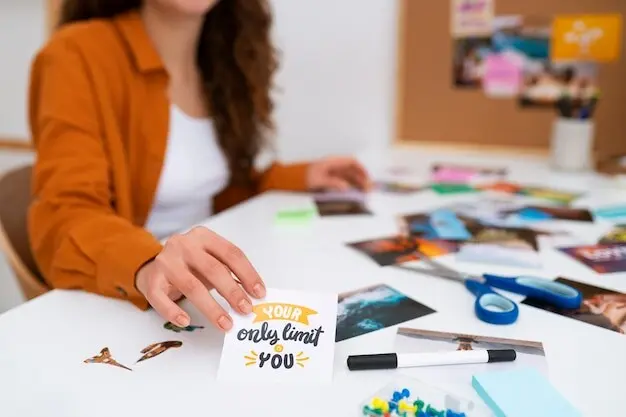
Build a Living Library at Home

Today we dive into building a household knowledge hub for shared routines, recipes, and reference information, pulling scattered notes into a friendly home encyclopedia. Imagine faster mornings, calmer dinners, and confident decisions because everything important is searchable, current, and visible to everyone who needs it.

Lay the Groundwork for a Seamless Home Brain

Before adding pages, align on a simple, durable setup that everyone can use on any device. Choose a home for information, agree on naming, and sketch a lightweight structure. The goal is effortless access: fewer clicks, clear categories, and a welcoming entry point that invites quick updates during real life, not perfect sessions.

Checklists that fit real mornings

Write actions a sleepy brain can follow: verbs first, tiny steps, and time estimates. Combine visual cues with locations, like toothbrush icons near sinks and backpack cards by the door. Involve kids in drafting; ownership rises when their words and drawings guide the flow.

Gentle automations and reminders

Automate only where friction is highest. Use calendar nudges, smart speaker routines, and recurring to‑dos that appear at the right hour in the right room. Pair them with printed checklists so progress survives Wi‑Fi outages, dead batteries, and the occasional phone‑free Saturday.

Recipes, Meal Plans, and a Smarter Pantry

Food decisions drain energy when information is scattered. Centralize treasured recipes, plan smartly, and keep a living view of pantry stocks. With ratings, tags, and real photos, dinners become predictable yet interesting, grocery runs shrink, and leftovers gracefully turn into tomorrow’s easy victories.

Reference That Reduces Stress When Minutes Matter

When answers hide during urgent moments, stress multiplies. Create concise, current pages for safety, health, repairs, and money basics. Link model numbers, serials, and photos so helpers can assist remotely. Print essentials for the fridge, then keep digital versions updated with dates and owners.

Emergency and health quick pages

List emergency contacts, pediatrician advice lines, insurance details, preferred urgent‑care locations, and medication protocols discussed with professionals. Stamp every entry with review dates. Keep a minimal printout accessible to babysitters. Digital copies can include links to poison control resources, local alerts, and household first‑aid video refreshers.

Manuals and warranties in one click

Snap photos of appliance labels, filing model and serial numbers next to manuals and warranty expirations. Add links to common fixes and trusted service providers. A roommate once replaced a dryer belt in an hour because the exact video and part number lived two clicks away.

Make It Findable, Beautiful, and Fast

A front page that orients anyone

Craft a simple home dashboard featuring quick links to today’s routines, meal plan, shopping list, and repair requests. Add a search bar, a friendly welcome message, and a “start here” card. When guests arrive, they can orient themselves without needing a private tour.


Tags and names that make sense later

Name pages predictably using nouns and verbs, like Kitchen – Oven – Cleaning, instead of mysterious abbreviations. Add status tags such as Draft, Verified, or Retired. Maintain a synonyms page so “garbage” and “trash” searches both win. Future you will thank present you generously.

Physical anchors that point to digital

Label shelves, bins, and appliances with tiny QR codes that open the exact page for care, parts, or restock links. Place a small binder copy in the kitchen for visitors. Physical anchors transform curiosity into action and keep digital knowledge circulating offline.

Privacy, Permissions, and Peace of Mind

Right people, right access

Create roles for adults, teens, kids, and guests. Grant edit rights thoughtfully, offer comment‑only paths for learning, and use expiring share links for temporary helpers. Log changes so accidental edits are reversible, and post a clear contact for questions about accuracy or access.

Backups you can trust on a bad day

Schedule automatic cloud backups weekly, export essential pages to PDF monthly, and keep an encrypted copy off‑site. Once a quarter, perform a restore rehearsal to verify everything works. Maintain a slim printed pack for blackouts so critical contacts and instructions remain available.

Handling sensitive details with care

Store financial numbers, medical notes, and locks separately with strong encryption, redacted printouts, and strict need‑to‑know rules. Avoid sharing static codes; prefer rotating credentials or password managers with shared vaults. Record who holds physical keys and create procedures for revoking access gracefully.

Keep It Alive with Habits, Stories, and Joy

Systems thrive when people feel invited, seen, and delighted. Build light rituals that reward small contributions, capture stories that teach, and show clear progress. With predictable reviews and humble improvements, your home library becomes a beloved companion rather than another chore.
Livozorimira
Privacy Overview

This website uses cookies so that we can provide you with the best user experience possible. Cookie information is stored in your browser and performs functions such as recognising you when you return to our website and helping our team to understand which sections of the website you find most interesting and useful.